Receive GPX files via email
open a gpx file received via email with GPX-viewer
To
open a GPX file received via email, follow the steps
below.
-
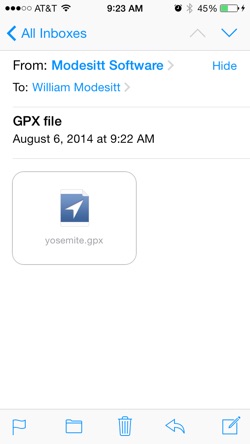
1.Open the email message and let the file completely download if necessary
-
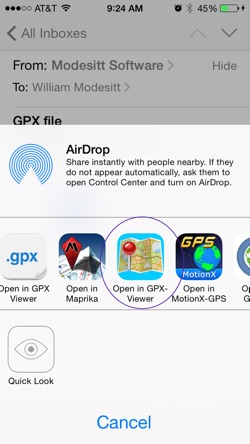
2.Tap and hold the file icon for 1 or 2 seconds and a list of apps that can open the file appears. Choose GPX-Viewer or an appropriate app. If you do not see the app GPX-Viewer in the list of apps, tap the More button to add it.
- 3.
If you cannot get the GPX-Viewer icon to appear,
instead copy the file by tapping the Copy button,
and then select Pasteboard after tapping the +
button in GPX-Viewer.
Copyright 2020 Modesitt Software